WhatsApp Bot
What Is the WhatsApp Bot?
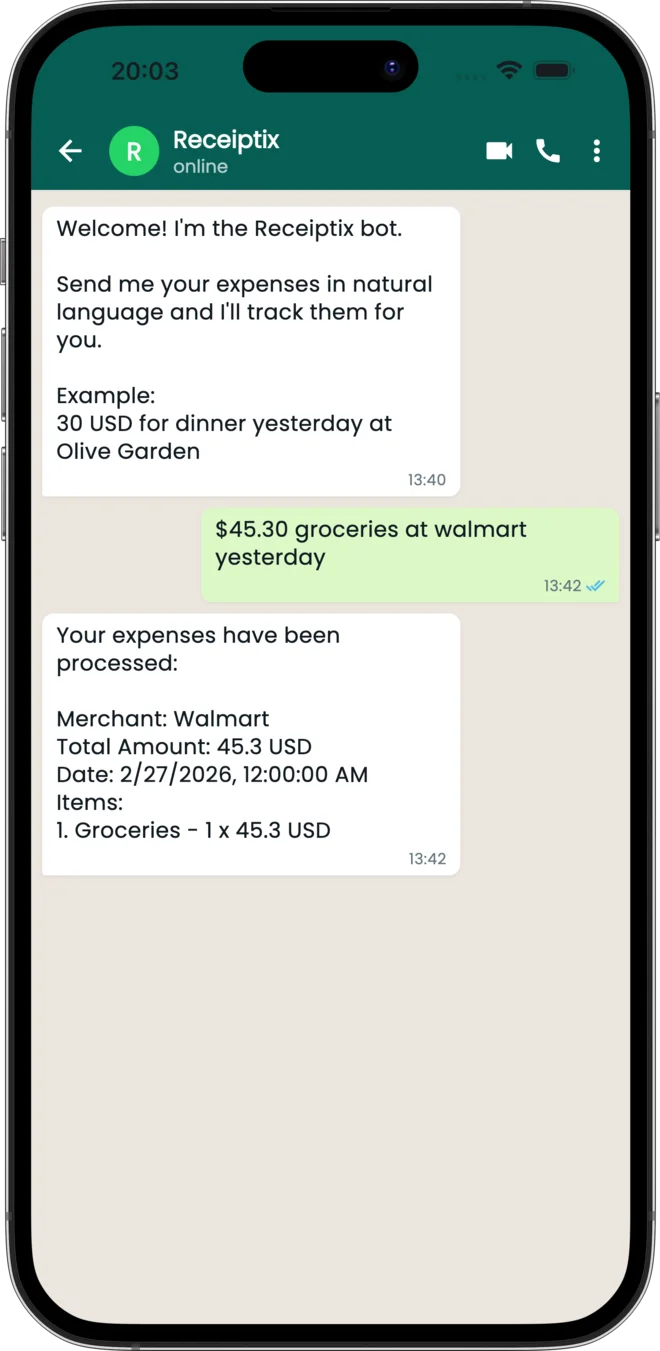
The Receiptix WhatsApp bot lets you track expenses without opening the app. Message it a photo of a receipt, a PDF invoice, or a quick text like 12.50 lunch, and it turns what you send into an expense that syncs with your account.
You can use it as your main way to add expenses — it works independently of the mobile app. You can even log your first expenses before installing anything: just start a chat at receiptix.io/whatsapp.
Linking Your Account
Already have the app? Connect your Receiptix account to WhatsApp in five steps:
Open Settings
In the Receiptix app, go to Settings > WhatsApp.
Get Your Code
Copy the unique 12-character code shown on screen.
Open the Chat
Tap "Open WhatsApp" in the app, or go to receiptix.io/whatsapp. WhatsApp numbers aren't searchable like usernames, so use the link.
Send Your Code
Send the 12-character code to the bot as your first message.
Done
Your account is linked. Start sending receipts and expenses.
What You Can Send
The bot accepts a few kinds of input:
Receipt Photos & PDFs
Send a photo of a receipt or forward a PDF invoice. The bot extracts the merchant, items, and amounts automatically.
Text Descriptions
Type what you spent — "8.50 coffee" — and the bot parses the details and creates the entry for you.
Everything the bot processes syncs automatically with your Receiptix account across all your devices.
Tags and Projects
Expenses go to your default project unless you say otherwise, and hashtags let you steer them:
- Set a default — send
/projectto pick which project new expenses land in - Override per expense — add
#project:Nameto send just that one elsewhere, like15 USD lunch #project:WorkTrip - Tag as you go — any other hashtag becomes a tag:
5 USD coffee #work. Tags require a subscription
Commands
- /help — the full list, any time
- /add or /log — log an expense
- /stats — your spending breakdown for the current month
- /project — choose your default project
- /signup and /login — create an account, or connect one you already have
- /install — a link to download the app
- /unlink — disconnect your number from your account
- /stop and /resume — opt out of marketing messages, or back in
Managing the Connection
Once linked, the WhatsApp settings screen in the Receiptix app shows your connection status along with convenient options:
- Connected status — confirms your WhatsApp number is linked
- Open WhatsApp — a button to jump straight to your chat with the bot, with the bot's number shown underneath as a fallback you can copy
- Unlink — one-click disconnect if you want to stop using the bot or switch accounts
Tips and Details
- You don't need the mobile app installed to use the WhatsApp bot. You can even start before installing it and claim your account later by signing up from the chat.
- WhatsApp numbers aren't searchable like usernames — reach the bot through the "Open WhatsApp" button in the app or at receiptix.io/whatsapp.
- The linking code is 12 characters, uppercase letters and digits. It's single-use and expires an hour after you generate it.
- Send
/helpto the bot at any time to see the commands it understands. - Unlinking is instant. Tap the disconnect button in app settings and the bot stops processing your messages immediately.