Receiptix is a voice expense tracker that turns a spoken sentence into a full expense entry. Say "twelve bucks on coffee at Blue Bottle" and it fills in the amount, merchant, category, and date — no form to fill out, no keyboard to tap through.
It understands natural speech, picks up the currency when you're abroad, and files the expense under the right category automatically. Good for cash purchases, for driving, for anything where pulling out a receipt or typing on a phone isn't practical.
On iPhone and Apple Watch, you can skip the app entirely — just ask Siri.
Why People Reach for Voice
- - Cash purchases where there's no receipt to scan and no app to pull up in the moment.
- - Driving home from the gas station, carrying groceries, or walking the dog — hands are busy, typing isn't happening.
- - The tiny expenses that slip through the cracks: a coffee, a tip, a parking meter, a snack at the counter.
- - Traveling abroad, dealing with three currencies, and not wanting to do conversions while standing in a museum line.
- - Splitting a check and only needing to log your share without re-entering every line.
Voice is faster than typing and more forgiving than memory. That's the whole pitch.
Just Say It — No Commands to Learn
There's no voice syntax, no wake word, no "expense, new, amount…" to memorize. Speak like you're texting a friend. Receiptix figures out the rest.
"Thirty-five dollars on lunch at Chipotle"
"Uber to the airport, twenty-two fifty"
"Fifty euros for museum tickets in Rome"
"Grocery run, about a hundred and twenty bucks"
"Six-dollar tip at the barber"
How It Works
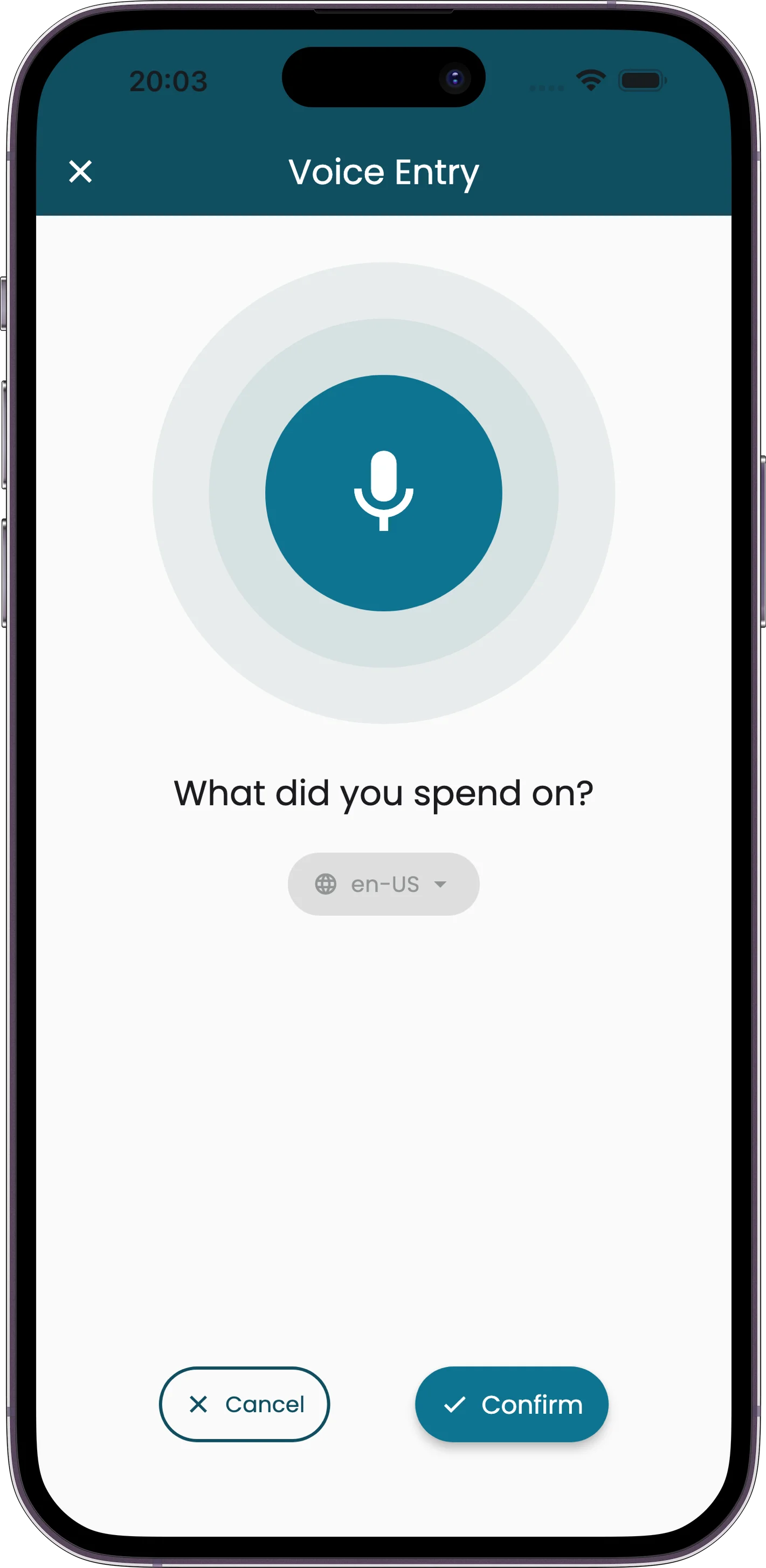
Tap the Mic
One button on the home screen. No menu diving, no modal setup.
Say the Expense
Describe what happened. Amount, where, what — in any order, in plain words.
Entry Saved
Amount, merchant, category, currency, date — all filled in. Edit anything if needed.
What the Voice Tracker Picks Up
Natural-Language Amounts
"Twenty bucks," "about forty," "a hundred and fifteen fifty" — Receiptix parses spoken numbers the way people actually say them. Round numbers, approximations, decimals, all handled.
Currency Detection
Say "fifty euros" or "eight hundred yen" and it picks up the right currency. Combine with multi-currency support to see totals in your home currency automatically.
Auto-Categorization
Voice entries get sorted with the same smart categorization as scanned receipts. "Gas station" goes to Transportation, "pharmacy" to Healthcare, "coffee" to Food & Drink.
Merchant & Context
It catches the merchant name when you mention it ("at Trader Joe's") and notes the date as today unless you say otherwise ("yesterday," "last Friday"). Fewer fields to correct after the fact.
"Hey Siri, Log an Expense in Receiptix"
On iPhone and Apple Watch, you don't even need to open Receiptix. Say "Hey Siri, log expense in Receiptix" and then describe what you spent. Siri hands it off, Receiptix saves it, and the AI fills in the amount, merchant, and category in the background. Siri replies with a quick confirmation and you're back to whatever you were doing.
If you keep projects for clients, trips, or shared budgets, log straight to one by name: "Hey Siri, add expense in Receiptix for Lisbon trip." Receiptix syncs your project list to Siri automatically — no shortcuts to create, no setup screens to walk through.
Works from Apple Watch — a wrist-raise is enough for a tip, a toll, or a cash purchase.
Runs in the background — Siri doesn't yank you into the app.
Project-aware — routes the expense to the right trip or client automatically.
iOS 16+ and watchOS 10+. Open Receiptix once so it can sync your projects, then ask Siri anytime.
Voice, Scanning, or Typing — When to Use Which
Voice is one of three ways to log an expense in Receiptix, and each has its moment. Use voice for cash purchases, quick captures on the move, and anywhere you don't have a paper receipt in hand. Use receipt scanning when you do — it pulls line items, tax, and tip off the paper so you don't have to dictate them.
Prefer typing sometimes? Manual entry is there too. Most people mix all three across a week — voice for the coffee, scan for the grocery receipt, manual for the rent transfer.
Who Uses Voice the Most
Drivers and delivery workers logging fuel and tolls between stops. Sales reps capturing client meals without pulling out a laptop. Travelers running through a dozen small spends a day in an unfamiliar currency. Parents with a kid on one hip and a grocery bag on the other. Anyone who's ever said "I'll log that later" and never did.
Voice is the path of least resistance. If a friction point is what's keeping your expenses untracked, this is the one that removes it.
Frequently Asked Questions
What is a voice expense tracker?
A voice expense tracker lets you log spending by speaking instead of typing or scanning a receipt. You say the amount, what it was for, and optionally where — and the app creates a structured expense entry from that sentence, complete with amount, merchant, category, and date.
Can I use Siri to log expenses?
Yes, on iPhone and Apple Watch. Say "Hey Siri, log expense in Receiptix" followed by what you spent, and the entry gets saved in the background — the app doesn't have to be open. You can also log to a specific project by name, e.g. "for Berlin trip." Requires iOS 16+ or watchOS 10+, and you need to have opened Receiptix at least once so it can sync your projects to Siri. There's no Android equivalent yet.
Does it work offline?
Voice transcription and parsing need a connection to process the audio. If you're offline, you can use manual entry to log the expense in seconds, then switch back to voice once you have signal again.
What languages are supported?
Voice mode works with the languages your phone's dictation supports — English, Spanish, French, German, Italian, Portuguese, and many others. Currency and merchant recognition work across all of them.
Is voice mode free?
Receiptix is free to start, including voice entries. Premium lifts the expense limit and adds advanced reports, but voice logging is available from the first install.
Can I edit an expense after logging it by voice?
Yes. Every voice entry opens as an editable expense — you can fix the amount, change the category, add a note, assign it to a project, or delete it. The voice step is just a faster way to get the entry started.
Stop Typing. Start Talking.
The expenses you forget to log are the ones that never got easy enough. Voice makes it easy.