Group Expenses Without the Spreadsheet
Renovating the house with your partner? Planning a trip with friends? Managing a team budget at work? Create a project, invite the people involved, and everyone logs their expenses to the same place. No more "who paid for what?" conversations.
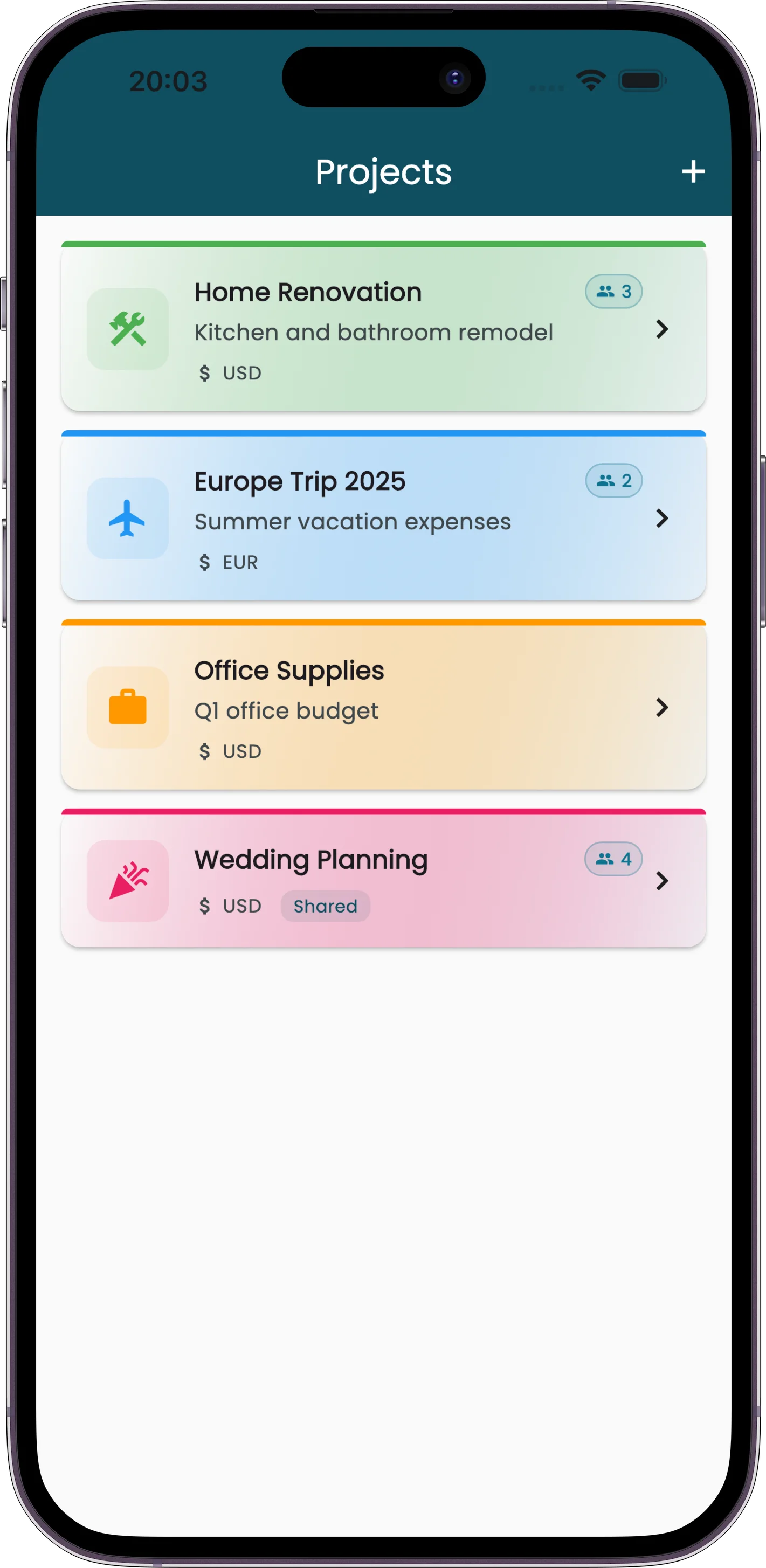
Each project has its own receipts, its own reports, and its own member list. You can see what everyone spent, generate reports for the whole group, and keep shared expenses completely separate from your personal ones.
How Projects Help
Everyone Logs, One Place
Invite people to your project. They scan receipts, use voice mode, type entries — whatever. All of it lands in the shared project automatically.
Per-Member Tracking
See exactly who spent what. The project report breaks down expenses by person, so settling up is math, not guesswork.
Separate from Personal
Project expenses don't clutter your personal spending reports. Switch between personal and project view anytime.
Permission Controls
Project owners manage members and settings. Members can add and edit their own receipts. Everyone sees the shared total.
What People Use Projects For
Home Projects
Renovations, moves, shared household expenses. Both partners log receipts, see the running total, and know exactly what the project costs.
Group Trips
Everyone scans their receipts into the trip project. At the end, one report shows who paid what. Splitting costs takes five minutes instead of an hour.
Team Budgets
Track a department budget or event spending. Each team member logs their purchases, and the project owner sees the full picture.
How It Works
Create a Project
Give it a name, pick an icon and color, choose the currency.
Invite People
Share an invite link. They join with one tap.
Log Expenses
Everyone adds receipts their own way — scan, voice, manual, Telegram.
See Everything
Reports, charts, per-member breakdowns — all in one place.
Make It Yours
Each project gets its own look and settings:
Custom Colors
Pick a color so you can tell projects apart at a glance
15 Icons
Home, briefcase, plane, restaurant, shopping cart, and more
Per-Project Currency
Set a different reporting currency for each project
Done with a Project?
Archive it. Archived projects move to a collapsed section at the bottom of your list — out of the way but still accessible if you need to pull up old receipts or reports. Nothing gets deleted.