Track It Before You Forget
You spend money, and there's a gap between that moment and when you actually track it. You're at a register, leaving a restaurant, in a cab — pulling out your phone feels like a chore. So you say you'll do it later, and then you don't.
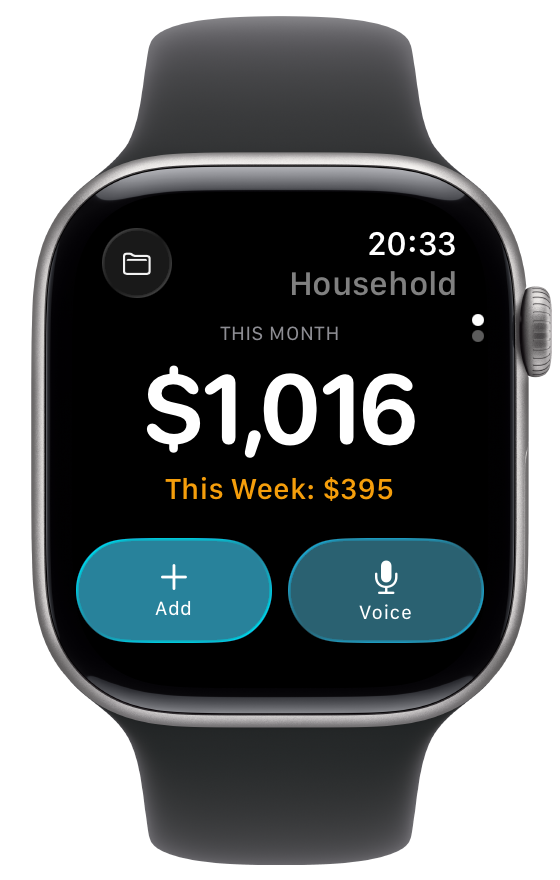
The Receiptix Watch app closes that gap. Two ways to log expenses, both designed to take a few seconds. Raise your wrist, log it, move on.
Two Ways to Log
Voice
Hit the mic and say "fifteen bucks for lunch." The app parses your words and files the expense under the right category automatically. No typing on a tiny screen.
Manual
Tap Add, punch in the amount, pick a category. Your most recent categories sit at the top, so if you keep buying coffee, it's one tap to select it.
Both update the Watch instantly — spending totals adjust and the expense appears in your recent list before the server even confirms.
What's on the Watch
Spending at a Glance
Month and week totals front and center. Swipe to see your recent expenses with merchant, category, and amount.
Independent Projects
Switch between Personal and any shared project right from the Watch. Your selection is independent from your phone and sticks across restarts.
Watch Face Complications
Add a complication to your watch face to see current spending without opening the app. Available in circular, rectangular, and corner styles.
When the Watch App Shines
Cash purchases where there's nothing to scan
Quick logging while walking or commuting
Splitting a check where you just need to remember your part
Glancing at spending totals throughout the day