Log Expenses Without Leaving the Chat
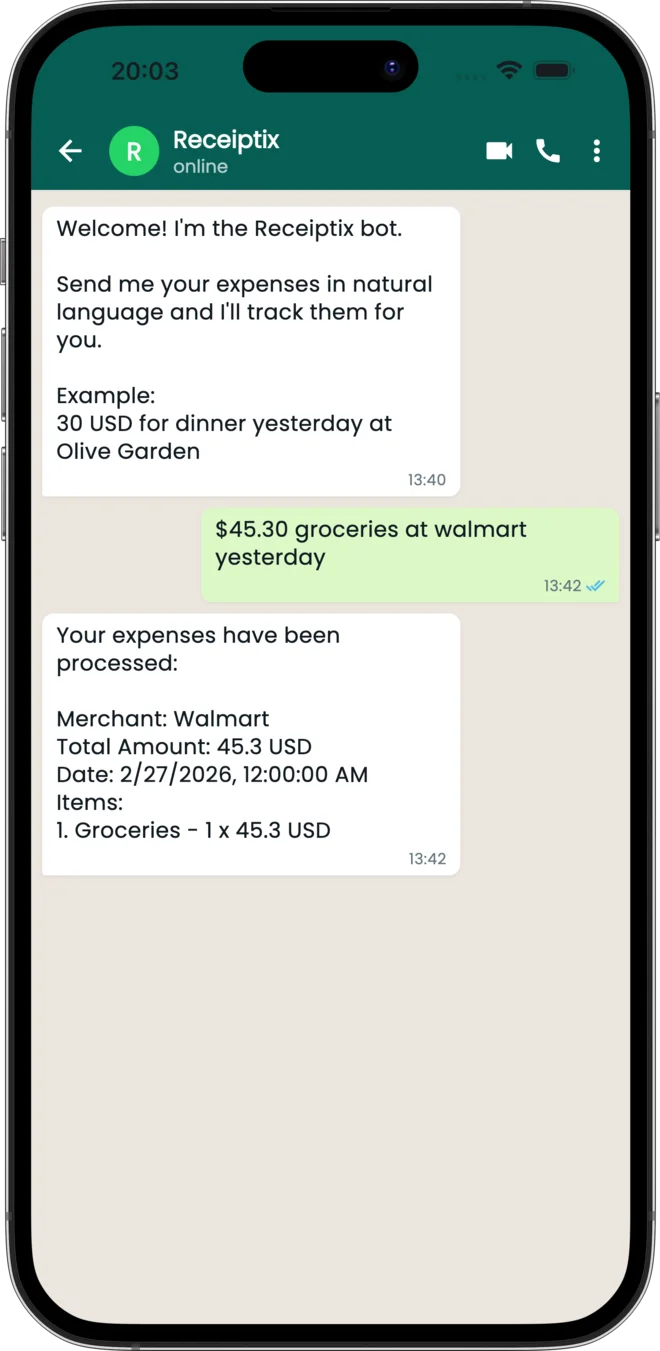
If WhatsApp is already open on your phone, stay there. Connect once from the Receiptix app, then send text, receipt photos, or PDF documents to the Receiptix WhatsApp number. The expense lands in your account within seconds.
Got a receipt forwarded from a group chat? Send it to the bot. Email receipt as a PDF? Forward it. Quick cash expense? Just type "Coffee $4.50" and move on. Everything syncs — no need to open the app.
Why WhatsApp?
Zero Friction
You're already texting. Adding an expense is just another message. No app to open, no login screen, no loading time.
Three Input Types
Text messages for quick entries. Photos for paper receipts. PDFs for digital invoices. All processed by the same AI.
Instant Sync
Send a receipt photo on your phone. Open Receiptix on your tablet a minute later. It's already there.
Forward Anything
Someone shares a receipt in a group chat? Long-press, forward to the Receiptix number. Done.
What the Bot Accepts
Text Messages
"Coffee at Starbucks $6.50" — type it like you'd text a friend
Receipt Photos
Snap and send. The AI reads the receipt and extracts every line item.
PDF Documents
Digital invoices, email receipts, bank statements — forward the PDF.
Getting Started
Open the App
Go to Settings → Connect to WhatsApp to get your connection code.
Open WhatsApp
Tap the Open WhatsApp button to start a chat with the Receiptix number.
Send the Code
Paste the 12-character code as your first message. One-time setup.
Send Stuff
Text, photo, or PDF — whatever you've got. It lands in your account, categorized.
Works With or Without the App
You can start from a cold chat at receiptix.io/whatsapp and log expenses straight away — no install, no account. Send /signup whenever you're ready and everything you've already logged comes with you. If you already have the app, the steps above link the two in one go. Either way the data flows both directions: quick capture through WhatsApp, detailed reports and charts in the app.