Point Your Camera. That's It.
Receiptix is an AI receipt scanner that works from a single photo. Point it at any receipt — grocery store, restaurant, gas station — and it pulls out every detail: merchant name, date, individual line items with quantities and prices, discounts, and the total. The whole thing takes a few seconds.
It's not just photos, either. Forward a PDF invoice or a digital receipt, and the same AI breaks it down line by line. Works with receipts in any language, whether it's a thermal print from a Tokyo convenience store or a handwritten tab from a café in Rome.
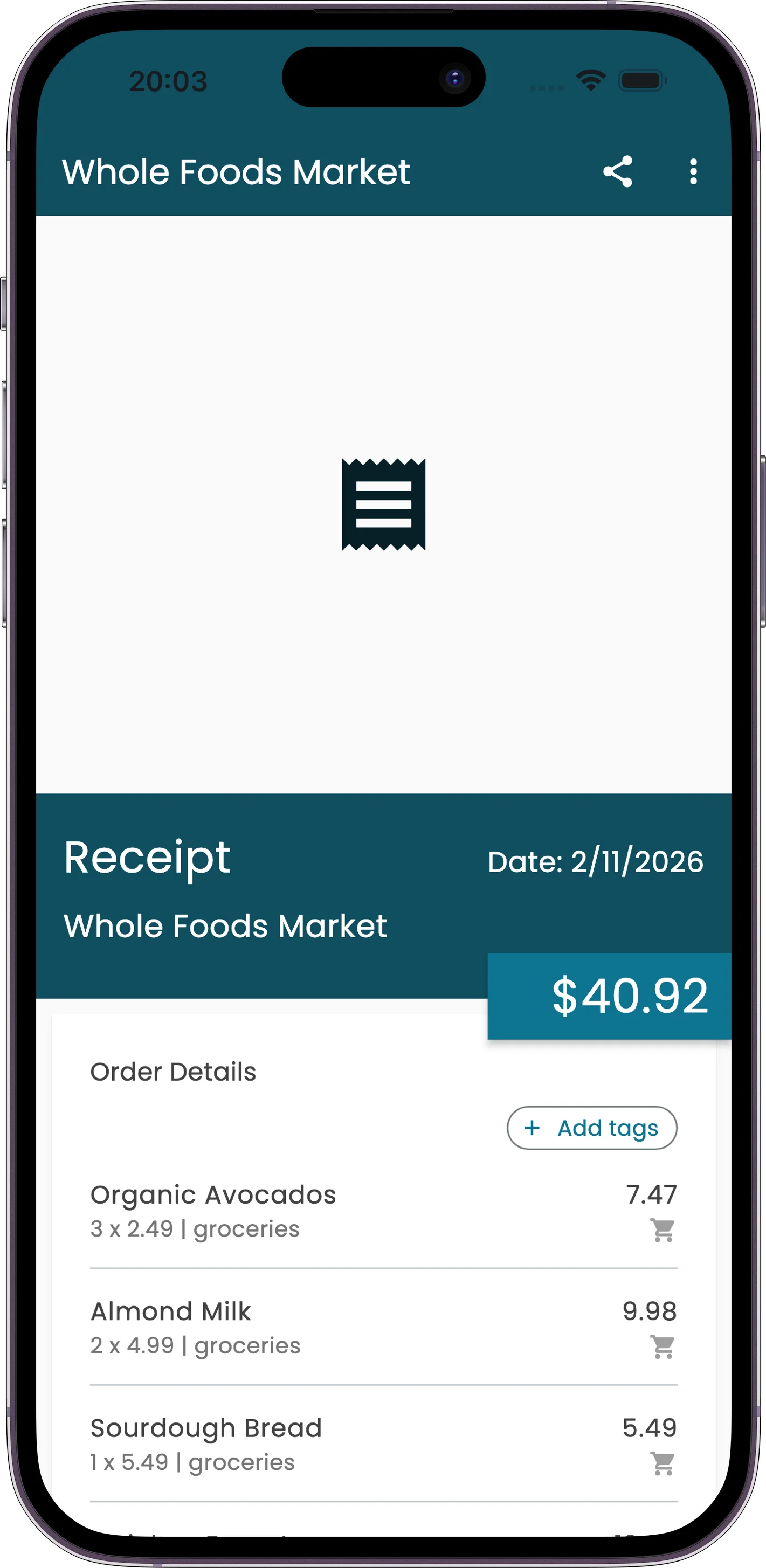
What You Get
Full Line-Item Breakdown
Not just the total. Every item, quantity, and price on the receipt gets extracted and categorized individually. You'll know exactly what you spent on what.
Photos and PDFs
Snap a paper receipt with your camera, or send a PDF invoice from your email. Both get processed the same way, with the same accuracy.
Any Language, Any Currency
Receipt in Japanese? German? Arabic? The AI handles it. It also picks up the currency automatically, so you don't have to set it manually.
Works Offline
No signal? No problem. Receiptix queues your receipts locally and processes them once you're back online. Nothing gets lost.
How It Works
Capture
Open the app and take a photo. Or pick a PDF from your files. Even forward one via Telegram — whatever's easiest.
AI Extracts
The AI reads the receipt and pulls out the merchant, date, each item with its price, any discounts, and the total.
Review and Save
Everything's pre-filled and categorized. Glance over it, tweak anything that needs it, and save.
A Typical Week
Monday: photograph the grocery receipt in the parking lot before it fades. Wednesday: forward the AWS invoice PDF from your email. Thursday: snap the restaurant bill after a team lunch — the AI splits every dish into a separate line item. Saturday: capture the hardware store receipt for that home project you're tracking.
All of it lands in one place, categorized, with every item accounted for. No typing, no spreadsheets.
Six Ways to Get a Receipt In
Most receipt scanner apps give you a camera and stop there. The receipts that go missing are the ones that never had a camera moment — the emailed order confirmation, the PDF invoice, the message you got while your hands were full. Receiptix takes all of them, and every route runs through the same AI.
Camera
The default. Photograph the receipt at the counter, before it fades or goes through the wash.
Photo Library
Already snapped it? Pick it out of your camera roll later. Screenshots of digital receipts work too.
Files and PDFs
Import a PDF invoice straight from the Files app. Hosting bills, software renewals, hotel folios.
Email Forwarding
You get a personal @in.receiptix.io address. Forward any receipt email and it becomes an expense. How to set it up.
Telegram
Send a photo to the Telegram bot and it scans it. No app switch.
Message a receipt to the WhatsApp bot — you can start before you install anything.
Why the Line Items Matter
A bank feed tells you "Target, $147.32." That is a true fact that helps you with nothing. You already knew you went to Target. What you didn't know is that $52 of it was household supplies, $38 was food, and $57 was things you picked up because they were on the way to the checkout.
A receipt scanner that only captures the total is a slower bank feed. The point of reading the paper is that the paper has the answer printed on it. Receiptix extracts each line — name, quantity, price — and categorizes them separately, so a single shopping trip splits into the categories it was actually made of.
The same split decides what a business can deduct. Printer ink and dog food on one Target receipt are a business expense and a personal one, and a scanner that only reads the total leaves you to untangle them from memory in April. It's the first thing worth checking when you compare receipt software for small business.
That's also what makes shared costs workable. When a $180 grocery run gets itemized, the $52 of one person's own shopping can be pulled out of the shared total instead of quietly costing everyone else. Splitting bills with roommates depends on that detail existing.
Common Questions
Is receipt scanning free?
No — scanning is part of the premium plan. Receiptix is free to start, and adding expenses by hand, categories, and basic charts are included at no cost. Manual entry is the free route in.
What file formats does it accept?
JPG, PNG, GIF and WebP images, plus PDF documents. You can capture with the camera, choose from your photo library, or import from the Files app.
Does it work with receipts in other languages?
Yes. The AI reads receipts in any language and picks up the currency automatically, so a thermal print from a Tokyo convenience store and a restaurant bill from Berlin both come out as structured data without you changing a setting.
What happens if I have no signal?
Receipts queue locally on your device and process automatically once you're back online. You can keep scanning on a plane or in a basement car park; nothing is dropped.
What if the AI reads something wrong?
Every scan lands in an editable form before it saves, so you can correct the merchant, the total, or any individual item. If the whole extraction is poor — a crumpled or badly lit receipt — you can rescan the same image and the AI reprocesses it from scratch.
How long does a scan take?
A few seconds. The receipt moves through four visible stages — pending, processing, uploading, done — so you can see where it is rather than staring at a spinner.
Does it connect to my bank?
No. Receiptix reads receipts, not bank feeds. That's a deliberate trade: you capture purchases yourself, and in exchange you get the item-level detail a card transaction never carries.