Log Expenses Without Leaving the Chat
If you're already in Telegram, stay there. The Receiptix bot (@receiptix_bot) accepts text messages, receipt photos, and PDF documents. Send any of those and the expense shows up in your Receiptix account within seconds.
Got a receipt forwarded from a group chat? Send it to the bot. Email receipt as a PDF? Forward it. Quick cash expense? Just type "Coffee $4.50" and move on. Everything syncs — no need to open the app.
Why Telegram?
Zero Friction
You're already texting. Adding an expense is just another message. No app to open, no login screen, no loading time.
Three Input Types
Text messages for quick entries. Photos for paper receipts. PDFs for digital invoices. All processed by the same AI.
Instant Sync
Send a receipt photo to the bot on your phone. Open Receiptix on your tablet a minute later. It's already there.
Forward Anything
Someone shares a receipt in a group chat? Long-press, forward to the bot. Done.
What the Bot Accepts
Text Messages
"Coffee at Starbucks $6.50" — type it like you'd text a friend
Receipt Photos
Snap and send. The AI reads the receipt and extracts every line item.
PDF Documents
Digital invoices, email receipts, bank statements — forward the PDF.
Getting Started
Find the Bot
Search @receiptix_bot in Telegram and start a chat.
Link Your Account
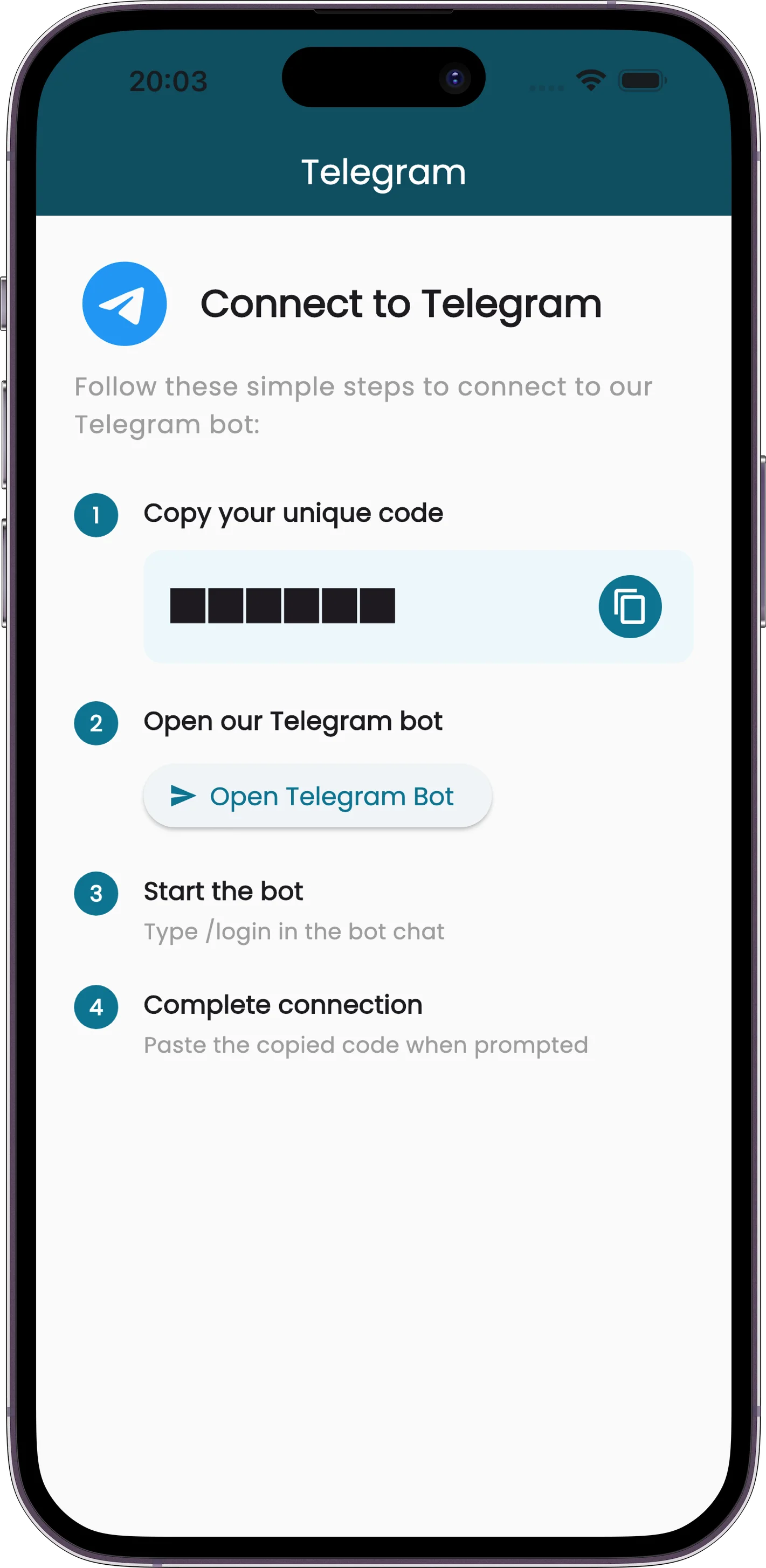
The app gives you a connection code. Send it to the bot. One-time setup.
Send Stuff
Text, photo, or PDF. Whatever you've got.
It Just Works
Expenses appear in your account, categorized and ready to go.
Works Without the Mobile App
You can use the Telegram bot on its own to log expenses — no mobile app required. But pairing them gives you the full picture: quick capture through Telegram, detailed reports and charts in the app. Data flows between both automatically.